An official website of the United States government.




How to Export Individual One-Time Query Subjects
Complete the following steps to export a file of Individual One-Time Query subjects. Import the Excel File into Continuous Query to create new enrollments:
Note: Each export file will contain only subject data submitted by that organization.
- Select Sign in to the NPDB.
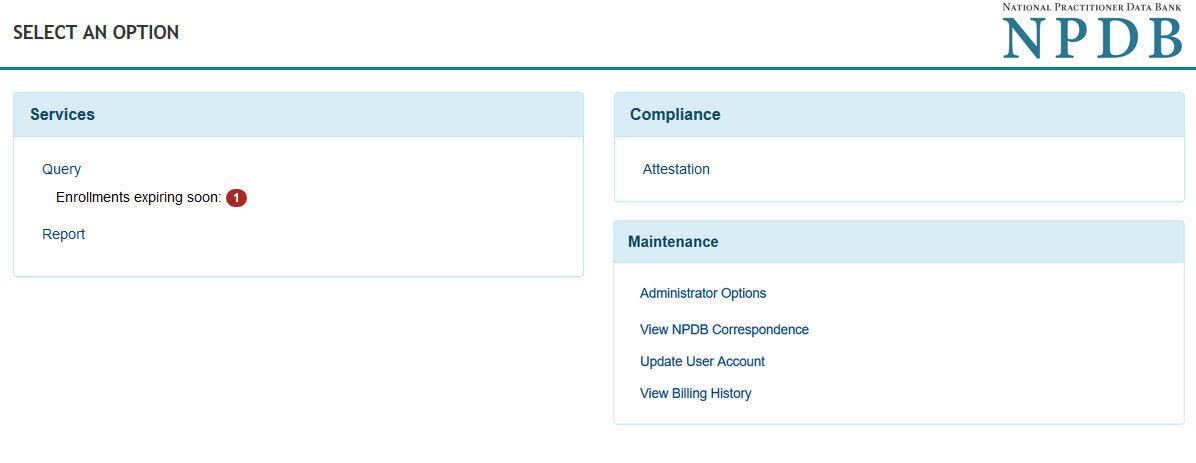
- Select Query on the Select an Option page.
Select an Option
- Select Export One-Time Query Subjects on the Query Options page.
- Select the date range to include in your file. Maximum date range is one year.
- Select Download to export and save your file. The Download Confirmation page shows the number of records exported.
Note: Each export file is limited to 50,000 subject records. If your export includes more than 50,000 subjects, limit the date range and create multiple export files.
Prepare the File for Import
- Remove all rows of subjects you do not want to enroll, including duplicates. Do not change information in the file. Limit each import file to 1,000 subjects.
- Go to Query Options to Import the Excel File.